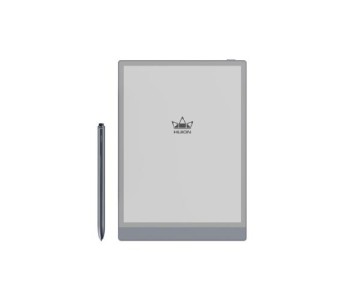
Smart Notepad Price in Bangladesh: Choose a Digital Notebook That Fits the Way You Write
Paper notebooks are simple, but they fill up, get lost, and cannot be searched. A smart notepad fixes these problems by keeping the feel of handwriting and adding digital storage. If you are checking the smart notepad price in Bangladesh, you will find models from ৳10,499 to ৳62,999 at Multimedia Kingdom, depending on the device type, screen size, and features. Prices may change over time, so please visit this category page to check the latest price before you place your order.
This guide explains what smart notepads are, which types are available, and how to pick the right one for study, office work, or creative projects.
What Is a Smart Notepad and How Does It Work?
A smart notepad is a digital writing device that records your handwriting as you write. You use a special pen, and the device captures every stroke. Depending on the model, your notes can be stored on the device, synced through an app, or sent to a phone, tablet, or computer.
This is different from a basic LCD writing board, which only lets you write and erase. A smart notepad is made for people who want to keep, edit, and reuse their notes. Some models can also work as a pen tablet for drawing on a computer, so they suit students, office workers, and digital artists alike.
Types of Smart Notepads You Will See in Bangladesh
Paper-Style Smart Notebooks
These devices are built around a notebook-style design. You write the way you normally do, and the device turns your handwriting into digital notes. The Huion Note X10 Smart Notebook is a good example. It lists a 7.35″ x 5.5″ active area, 8192 pen pressure levels, a function button, and compatibility with Windows, macOS, and Android. It suits people who enjoy the feel of writing but want a digital copy of every page.
Android-Based Note-Taking Tablets
These are standalone devices with their own screen and operating system. You can write, read documents, mark up files, and sketch on one device. The XP-Pen Magic Note Pad lists a 5.82″ x 9.29″ active area, 16384 pressure levels, an 8000 mAh battery, a 90Hz refresh rate, and Android 14. The Huion Ink (New) is another Android-based option, with an 8.25″ x 6.2″ active area and a 4650mAh battery.
Smart Notepads Available at Multimedia Kingdom
Our smart notepad collection currently features Huion and XP-Pen devices. Stock status can change, so always confirm on the product page before you decide.
Huion Note X10 Smart Notebook
This is the most compact choice here, and it is currently listed for pre-order. It works well for lecture notes, meeting notes, and daily planning. Because it supports Windows, macOS, and Android, you can connect it with the device you already use. You can also explore our Huion smart notebook collection for related models.
Huion Ink (New)
If you want a larger writing area, the Huion Ink (New) is worth a look. It is also listed for pre-order. With Android on board and a bigger active area, it is a better match for people who read and annotate documents as often as they write.
XP-Pen Magic Note Pad
This one is built for people who want a single device for handwriting, drawing, and reading. It is currently on pre-order as well, and it has the highest pen pressure level of the three. You can see more in our XP-Pen smart notepad collection.
Because these models are on pre-order, we suggest checking the expected delivery time with our team before you confirm. Multimedia Kingdom is a 100% trusted place for pre-order, and our team will guide you through the process.
How to Choose the Right Smart Notepad
Start With How You Will Use It
Think about your daily routine first. If you mostly take class or meeting notes, a compact notebook-style device is enough. If you also read PDFs, annotate files, or sketch, an Android-based tablet gives you more freedom.
Check the Size and Active Area
A larger active area gives you more room to write and draw. A smaller one is lighter and easier to carry in a bag. Decide whether you value comfort at a desk or portability on the move.
Look at Pen Pressure and Pen Quality
Higher pressure levels give you finer control over line thickness. This matters most for sketching and handwriting with natural strokes. For plain note-taking, even the lower levels listed on our products feel smooth.
Confirm Device Compatibility
Make sure the smart notepad works with your phone, laptop, or desktop. For example, the Huion Note X10 lists support for Windows, macOS, and Android. Check the product page for each model before ordering.
Think About Battery and Storage
Battery capacity affects how long you can write between charges, especially during long classes or travel. Also check whether notes are stored on the device, in an app, or both.
Compare Value, Not Only Price
The cheapest option is not always the best. Look at build quality, pen performance, software support, and warranty. A slightly better device that you use every day gives you more value over time.
Smart Notepad vs Graphics Tablet vs E-Reader
Many buyers are unsure which device category fits them. A smart notepad is best when handwriting and note organization are your main goals. A graphics tablet is better for professional drawing, photo editing, and design work, and you can see more brands in our XP-Pen graphics tablet range.
If you want a general-purpose screen for apps and media, browse our tablet category. If reading comfort is your priority, take a look at e-readers or the wider E Ink devices collection. And if you want devices built around smart note features, our AI Note category is worth exploring.
Who Should Buy a Smart Notepad?
Students can keep lecture notes organized by subject and avoid carrying many notebooks. Professionals can capture meeting points, to-do lists, and ideas, then share them quickly with colleagues. Designers and creators can sketch concepts on the go and move them into their design software later.
For all three groups, an extra pen tip or accessory may be useful over time. You can browse tablet accessories to complete your setup.
Why Should You Buy a Smart Notepad from Multimedia Kingdom?
Choosing a digital device is easier when you buy from a store that understands the product. Multimedia Kingdom brings 26 years of tech experience to every recommendation, so you get practical advice and not just a sales pitch. Our team offers always friendly support before and after your purchase, and we are an authorized distributor for selected products.
If a device you want is not in stock, our pre-order page shows what you can reserve, and we are a 100% trusted place for pre-order.
Frequently Asked Questions
What is a smart notepad?
A smart notepad is a digital device that records handwriting and stores it as digital notes. You can save, edit, and share your notes with a phone or computer, depending on the model.
Is a smart notepad the same as a graphics tablet?
Not exactly. A smart notepad focuses on note-taking, while a graphics tablet is made mainly for drawing and design. Some smart notepads can also work as a pen tablet when connected to a computer.
Can I connect a smart notepad to my phone or laptop?
Most models connect to phones, tablets, or computers. The Huion Note X10, for example, lists support for Windows, macOS, and Android. Always check the product page for the exact compatibility of the model you choose.
Are smart notepads in stock right now?
Availability changes from time to time. At the moment, the models highlighted here are listed for pre-order. Please check the product page or contact our team to confirm before you order.
Is a smart notepad good for students?
Yes. It helps students keep notes organized, reduces paper use, and makes it easy to revisit lessons later. A compact notebook-style model is usually the easiest place to start.
How do I know which smart notepad is right for me?
Think about how you will use it, the size you prefer, and the devices you want to connect it with. If you still feel unsure, contact the Multimedia Kingdom team and we will help you compare the options.
Find Your Smart Notepad at Multimedia Kingdom Today
A good smart notepad saves time, keeps your ideas in one place, and cuts down on paper. Whether you want a compact notebook-style device, a larger Android-based tablet, or something in between, the right choice depends on how you write every day. Compare the models, check the latest prices on each product page, and talk to our friendly team if you need help. Order from Multimedia Kingdom and start taking smarter notes with confidence.