Xencelabs Graphics Tablet in Bangladesh — Buy the Original Xencelabs Drawing Tablet at Multimedia Kingdom
Most drawing tablets promise a "natural pen feel." Xencelabs is one of the few that actually delivers on it. Multimedia Kingdom brings the original Xencelabs Digital Drawing Tablet lineup to artists, illustrators, animators, and designers across Bangladesh — backed by genuine warranty, fast delivery, and real after-sales support, not just a box shipped and forgotten. Whether you're picking up your first stylus or upgrading a professional studio setup, our range of Xencelabs Pen Tablet models is built around one thing: making the pen disappear and letting the work take over.
Why Artists Are Switching to the Xencelabs Drawing Tablet
The Xencelabs Graphics Tablet was designed by a team with deep roots in the pen-display industry, and it shows in every detail — from the curved palm rest to the battery-free EMR pen technology. Unlike cheaper alternatives, Xencelabs focuses on ergonomics and precision first, which is exactly why it has become one of the most talked-about names among digital creators searching for a Best Xencelabs Graphics Tablet experience.
Here's what makes the Xencelabs Digital Drawing Tablet stand out:
- Battery-free, cordless pens — Both the 3-Button Pen and the Thin Pen use EMR (Electro-Magnetic Resonance) technology, so there's never a battery to charge inside the stylus itself.
- 8192 levels of pressure sensitivity with up to 60° tilt recognition, giving you natural line weight variation for sketching, inking, shading, and painting.
- Curved, 6.5° sloped palm rest that reduces wrist fatigue during long drawing or design sessions — a feature most competing tablets skip entirely.
- 16:9 native drawing surface that maps precisely to standard monitors, so what you draw on the tablet lines up exactly with what appears on screen.
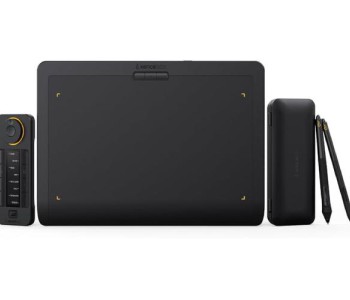
- Customizable Quick Keys remote with an OLED display, a physical dial, and multiple programmable shortcut sets — a genuine productivity booster for repetitive design tasks.
- Long-lasting wireless battery built into the tablet body itself, supporting extended cordless drawing sessions before it needs a recharge.
- Magnesium/aluminum alloy build with a slim profile, making it durable enough for studio use and portable enough to carry to class, office, or a client meeting.
This combination is why so many people search for the Xencelabs Graphics Tablet Features before buying — the specs genuinely translate into a smoother creative workflow, not just marketing language.
Xencelabs Pen Tablet Small vs Xencelabs Pen Tablet Medium — Which One Should You Buy?
Multimedia Kingdom stocks both size variants, so you can choose based on your workspace and how you like to work:
- Xencelabs Pen Tablet Small — Compact and travel-friendly, ideal for artists who work on laptops, need a tablet for a smaller desk, or want a lightweight option to carry between home and studio.
- Xencelabs Pen Tablet Medium — A larger active drawing area suited to professionals who need more room to sketch, animate, or work across multi-monitor setups.
If you're unsure which size fits your workflow, our team at Multimedia Kingdom can help you decide based on your intended use — whether that's digital painting, comic art, product design, or video editing workflows.
Who Is the Xencelabs Graphics Tablet Built For?
One of the biggest reasons the Xencelabs Graphics Tablet for Beginners and the Xencelabs Graphics Tablet for Professionals both exist as popular search categories is because this tablet genuinely scales with skill level.
For beginners: The intuitive driver software, ergonomic design, and simple setup make it approachable even if you've never used a pen tablet before. You get professional-grade hardware without a steep learning curve.
For professionals: The pressure sensitivity, tilt response, and customizable Quick Keys shortcuts translate into faster, more precise work — whether you're doing production illustration, concept art, or client-facing design work under deadline pressure.
Popular Use Cases for the Xencelabs Tablet
- Xencelabs Tablet for Digital Art — Natural pen feel and high pressure sensitivity make it a strong companion for digital painters and concept artists.
- Xencelabs Tablet for Graphic Design — Precise cursor control and customizable shortcuts speed up layout, branding, and UI/UX work.
- Xencelabs Tablet for Illustration — Tilt-responsive shading and line variation suit comic artists, character designers, and editorial illustrators.
- Xencelabs Tablet for Animation — Smooth, low-lag strokes and a comfortable palm rest support long animation and frame-by-frame sessions.
- Xencelabs Tablet for Photo Editing — Precise retouching, masking, and dodge-and-burn work benefit from pressure-sensitive input compared to a standard mouse.
Xencelabs Wireless Graphics Tablet — Draw Without the Cable Clutter
The Xencelabs Wireless Graphics Tablet experience lets you connect via a dedicated wireless dongle, freeing up desk space and letting you work from a more comfortable angle or distance from your computer. For creators who value a clean, distraction-free setup, this wireless flexibility is a major selling point — and it's one of the top reasons customers search specifically for this tablet over wired-only alternatives.
Xencelabs Tablet vs Wacom, XP-Pen, and Huion — How Does It Compare?
If you're comparing options before you buy, here's a quick, honest breakdown:
Xencelabs Tablet vs Wacom: Xencelabs was founded by industry veterans with prior Wacom experience, and it directly targets the same premium, professional-grade segment — often at a more accessible price point while still offering comparable build quality, pressure sensitivity, and a genuinely ergonomic palm-rest design.
Xencelabs Tablet vs XP-Pen: XP-Pen tends to compete on price with a wider range of budget options, while Xencelabs focuses on a smaller, more refined product line with a stronger emphasis on ergonomics, accessory quality (like the Quick Keys remote), and build materials.
Xencelabs Tablet vs Huion: Huion also offers budget-friendly pen tablets with a large model range, but Xencelabs differentiates itself through its curved palm rest design, dual-pen system, and more polished driver software experience.
For most digital artists searching for a Professional Xencelabs Graphics Tablet, the deciding factor usually comes down to comfort during long sessions and shortcut customization — both areas where Xencelabs consistently stands out.
Featured Xencelabs Graphics Tablet Models at Multimedia Kingdom
From an entry-level pen tablet to a full pen display, here are four popular Xencelabs Graphics Tablet models currently available at Multimedia Kingdom:
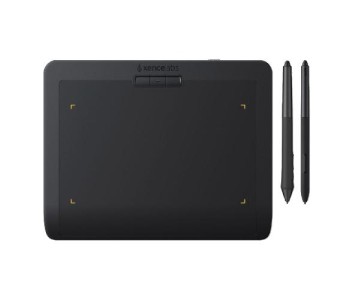
A compact, travel-friendly option for artists who want the genuine Xencelabs pen feel without needing a large active area.
- Active Area: 6.93″ x 3.89″
- Pen Pressure: 8192 levels
- Express Keys: 3
- Compatibility: Windows, macOS
- Price: ৳18,999
The most popular size for illustrators and designers who need more room to work without stepping up to a pen display.
- Active Area: 10.33″ x 5.8″
- Pen Pressure: 8192 levels
- Express Keys: 3
- Compatibility: Windows, macOS
- Price: ৳33,999
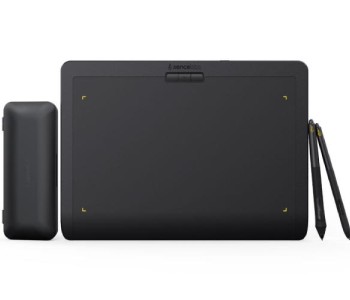
A complete professional setup that pairs the Medium tablet with the Xencelabs Quick Keys remote for maximum shortcut customization.
- Active Area: 10.33″ x 5.8″
- Pen Pressure: 8192 levels
- Includes: Quick Keys (K02-A)
- Compatibility: Windows, macOS, Linux
- Price: ৳49,999
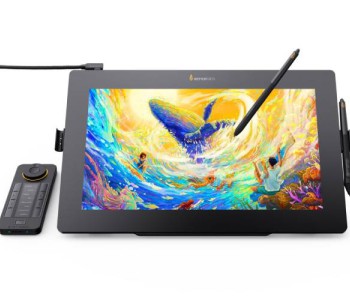
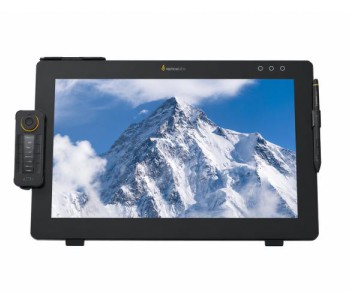
For professionals who want to draw directly on screen, this pen display delivers a full HD, color-accurate canvas for serious production work.
- Active Area: 13.55″ x 7.6″ (15.6″ Full HD display)
- Pen Pressure: 8192 levels
- Compatibility: Windows, macOS, Linux
- Price: ৳129,999
See the complete lineup, current stock, and live pricing here: Xencelabs Graphics Tablet Collection at Multimedia Kingdom
Buy Today Xencelabs Graphics Tablet Online in Bangladesh — Why Choose Multimedia Kingdom?
When you search for Xencelabs Graphics Tablet BD or Xencelabs Graphics Tablet Online, you want a seller you can trust — not a grey-market import with no warranty support. Here's why Multimedia Kingdom the trusted Xencelabs Graphics Tablet Shop for creators across Bangladesh:
- 100% Original Xencelabs Graphics Tablet — sourced through authorized channels, never counterfeit or refurbished
- Latest types of Graphics Tablet, tablet, ereader, gadget items, office equipment & huge number of models kept in stock, including the newest Small and Medium series
- Nationwide delivery across Dhaka and the rest of Bangladesh
- Dedicated after-sales support for driver setup, troubleshooting, and warranty claims
- Competitive pricing with no hidden charges
- A trusted Xencelabs Graphics Tablet Bangladesh destination for students, freelancers, studios, and agencies alike
Whether you're a student learning digital illustration, a freelance designer building your portfolio, or a studio investing in professional-grade equipment, Multimedia Kingdom makes it simple to Buy Xencelabs Graphics Tablet with confidence.
Xencelabs Graphics Tablet Review — What Real Creators Say
Across the digital art community, the recurring theme in every Xencelabs Graphics Tablet Review is the same: the pen feel is exceptional, the palm rest genuinely reduces fatigue, and the Quick Keys remote becomes indispensable once you build custom shortcut sets around your workflow. It's consistently mentioned as a serious alternative to higher-priced pen displays, especially for artists who want a dedicated pen tablet (not a screen tablet) with premium build quality.
Frequently Asked Questions
Is the Xencelabs Graphics Tablet good for beginners?
Yes. The setup process is straightforward, and the driver software is beginner-friendly, while still offering enough depth (pressure curve adjustment, tilt sensitivity, customizable shortcuts) to grow with you as your skills improve.
Does Multimedia Kingdom sell the original Xencelabs Graphics Tablet?
Yes, Multimedia Kingdom only sells 100% original, authentic Xencelabs products with proper warranty coverage — not imported clones.
What's the difference between the Xencelabs Pen Tablet Small and Medium?
The Small is more compact and portable, ideal for smaller desks or travel, while the Medium offers a larger active drawing area suited to professional workflows and multi-monitor setups.
Can I use the Xencelabs Graphics Tablet wirelessly?
Yes, the Xencelabs Wireless Graphics Tablet connects via a dedicated Bluetooth dongle, letting you draw cable-free with a built-in rechargeable battery.
Is Xencelabs better than Wacom, XP-Pen, or Huion?
It depends on your priorities. Xencelabs stands out for ergonomics, build quality, and its Quick Keys shortcut system, while Wacom, XP-Pen, and Huion each have their own strengths across different price points. Many professionals consider Xencelabs a strong middle ground between budget tablets and premium Wacom devices.
Ready to upgrade your creative workflow? Explore the full Xencelabs range and check current pricing at Multimedia Kingdom.


-350x300h.jpg "Xencelabs Pen Display 16 Essentials")