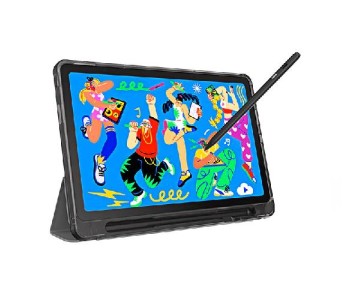
Ugee Graphics Tablet Price in BD: Find Genuine Pen Tablets & Pen Displays at Multimedia Kingdom
Want to start digital art, design or online teaching, but a Wacom feels too costly? Ugee is a smart place to begin. At Multimedia Kingdom you can choose from six Ugee models: pen tablets for beginners, pen displays for screen drawing, and one Android drawing pad. At the time of this update, Ugee prices here start from ৳4,999 and go up to ৳32,999. Prices and stock can change, so please check the product page or message us before you order.
Which Ugee Should You Buy?
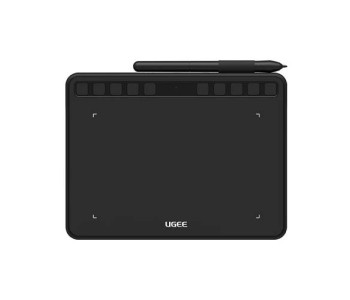
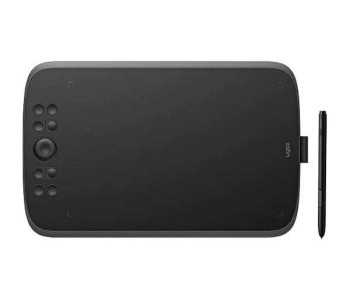
- First tablet, small budget: Ugee S640 or M908.
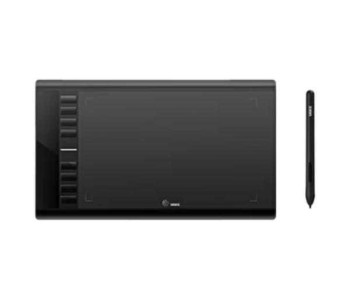
- Bigger drawing area for freelance work: Ugee M708.
- Want to draw directly on a screen: Ugee UE12 Plus (compact) or UE16 (bigger).
- Want a stand-alone Android drawing pad: Ugee Fun Drawing Pad UT2.
Some of Ugee Model that You Can Check from here
Specifications are taken from the current product listings. Click the product card above for the live price and warranty.
| Model |
Type |
Active Area |
Pen Pressure |
Keys |
Works With |
| Ugee S640 |
Pen tablet |
6.3″ × 4″ |
8192 |
10 |
Windows, macOS, Android |
| Ugee M908 |
Pen tablet |
10″ × 6.25″ |
– |
8 |
Windows, macOS, Android |
| Ugee M708 |
Pen tablet |
10″ × 6″ |
8192 |
8 |
Windows, macOS |
| Ugee UE12 Plus |
Pen display (Full HD) |
10″ × 5.6″ |
16384 |
8 |
Computer connection |
| Ugee UE16 |
Pen display (Full HD) |
13.4″ × 7.5″ |
16384 |
10 |
Computer connection |
| Ugee Fun Drawing Pad UT2 |
Android drawing pad |
10.36″ × 6.48″ |
4096 |
– |
Android 14 (2000 × 1200) |
Which Ugee Tablet Is Best for You?
For School and College Students
You need something small, simple and light on the pocket. The S640 has a compact 6.3″ × 4″ area and 10 express keys. It fits easily on a study desk and works for sketching, note-taking and basic photo editing. If you want more room, the M908 gives you a 10″ × 6.25″ area.
For Freelancers
Photo retouching, logo design and illustration all go faster when you work with a pen. The M708 gives you a 10″ × 6″ working area, 8192 pressure levels and 8 shortcut keys. That is enough space to work comfortably without paying for a screen.
For Teachers and Online Tutors
A pen tablet lets you write and mark slides by hand while teaching on Zoom or Google Meet. The S640 is the easy choice. Teachers who prefer a bigger area can pick the M908 or M708.
For Illustrators, Animators and Concept Artists
If you want to draw directly on the image, choose a pen display. The UE12 Plus is a good first step with a Full HD screen and 16384 pressure levels. The UE16 adds a bigger 13.4″ × 7.5″ area for detailed work, which is helpful for long daily sessions.
For People Who Want to Draw Without a PC
The Ugee Fun Drawing Pad UT2 lists Android 14 and a 2000 × 1200 screen, so it is built as a stand-alone drawing pad. Please check the product page for supported apps and features before you order.
Pen Tablet vs Pen Display vs Android Drawing Pad
- Pen tablet (S640, M908, M708): You draw on a flat pad and look at your monitor. It costs less, and most people get used to it within a few days.
- Pen display (UE12 Plus, UE16): You draw right on the screen, which feels closer to paper. It costs more and needs a computer connection.
- Android drawing pad (UT2): A stand-alone option for people who want a drawing device that does not depend on a computer.
Compatibility Checklist (Read Before You Order)
- Check your device. The S640 and M908 list Windows, macOS and Android. The M708 lists Windows and macOS only.
- Check your ports. Make sure your laptop or phone can connect with the cable type in the box, or ask us about an adapter.
- Check your software. Ugee works with popular tools like Photoshop, Illustrator, CorelDraw and Clip Studio Paint.
- Check availability. Since all models are pre-order right now, ask our team for the current delivery time.
Important: A product that does not support your device cannot be returned or exchanged, so please confirm compatibility with us before you pay.
How to Set Up Your Ugee Tablet in 4 Steps
- Connect the tablet to your PC or laptop with the cable provided.
- Install the driver for your exact model from the official Ugee driver page.
- Restart your computer so pen pressure works properly.
- Open your software and set up the pen keys in the driver panel. Then start drawing.
Pen pressure not working? Most of the time it is an old or double-installed driver. Remove the old driver, restart and install the correct one again. If you are still stuck, our team will guide you after purchase.
How to Spot a Fake or Grey-Market Tablet
- Ask who the seller is and who handles the warranty.
- Check that the warranty period is written on the product page or given to you in writing.
- Ask whether the box is sealed and manufacturer-packed.
- Be careful if the price is far lower than other trusted sellers.
- Make sure the seller has a real shop address you can visit.
Multimedia Kingdom has served digital artists, designers, students and teachers across Bangladesh since 2000. You can visit our showrooms on New Elephant Road, Dhaka, and check your product before you buy.
Ugee vs Other Graphics Tablet Brands
Not sure if Ugee is right for you? Here is a simple way to think about it.
- Ugee: Good for beginners and budget buyers who want solid specs, including pen displays with 16384 pressure levels.
- Huion and XP-Pen: Very wide ranges, from tiny pads to large pen displays, so you can match almost any budget.
- Wacom: A well-known premium brand that many professionals trust.
Compare all brands in our Graphics Tablet collection, or look at Wacom and XP-Pen tablets directly. You can also browse the full Tablet category.
More Tablets and Gear You May Like
Still comparing brands? You can also explore Huion tablets, which come in many sizes and budgets. Need a spare pen nib, stand or glove? See our tablet accessories. Love reading as well as drawing? Explore e-readers. Looking for ready-to-ship deals? Check the ready stock and sale items.
Ordering, Payment and Delivery System of Here
- Payment: Cash on delivery, online payment (cards and mobile banking) and bank transfer are available. Please confirm the option for your product with our team.
- Delivery: Inside Dhaka usually takes 1–2 working days, and outside Dhaka 2–4 working days. Pre-order items need extra time, so ask us for the latest estimate.
- Warranty: The warranty period is shown on each product page. Please keep your invoice. Stylus, cable and cable-port damage may not be covered, so read the policy before you buy.
- Showroom visit: Head Office at Kazi Bhaban (4th Floor), 39 New Elephant Road, Dhaka-1205, open 7 days, 10 AM to 8 PM (except national holidays). Multiplan Outlet at Shop-841 (Level 8), 69-71 New Elephant Road, open 6 days, closed on Tuesday.
Frequently Asked Questions About Ugee Tablets in Bangladesh
What is the Ugee graphics tablet price in BD?
At the time of this update , Ugee models at Multimedia Kingdom range from ৳4,999 for the S640 to ৳32,999 for the UT2 Fun Drawing Pad. Prices can change with stock and offers, so check the live price on the product page.
Which Ugee tablet is best for beginners?
The Ugee S640 and M908 are the best starting points. They are simple, work with Windows, macOS and Android, and are easy to set up.
Do Ugee tablets come with warranty?
Yes. The warranty period is shown on each product page and is provided by the manufacturer. Please keep your invoice, and read our return and refund policy for what is not covered.
Is Ugee better than Huion, XP-Pen or Wacom?
It depends on your budget and needs. Ugee suits budget-focused beginners and anyone who wants a pen display at a lower entry point. Huion and XP-Pen offer wide ranges, and Wacom is a premium option. You can compare all of them on our site.
Can I see an Ugee tablet before I buy?
Yes. Visit our Head Office at Kazi Bhaban (4th Floor), 39 New Elephant Road, Dhaka-1205, or our Multiplan Outlet. Please call first to confirm that your model is available to view.
Can I pay cash on delivery?
Cash on delivery is available for many orders across Bangladesh. Please confirm with our team when you place your order.
Ready to Start Your Digital Art Journey?
You do not need the most expensive tablet to create great work. You need the right one for your hands, your desk and your goals. Pick your Ugee model from the list above, or message our team on WhatsApp or Messenger. Tell us your budget and your software, and we will help you choose. Order today from Multimedia Kingdom and start drawing sooner.