

Features
AIYIMA A3001 Class D Power Amplifier.jpg)
.jpg)
.jpg)
.jpg)
.jpg)
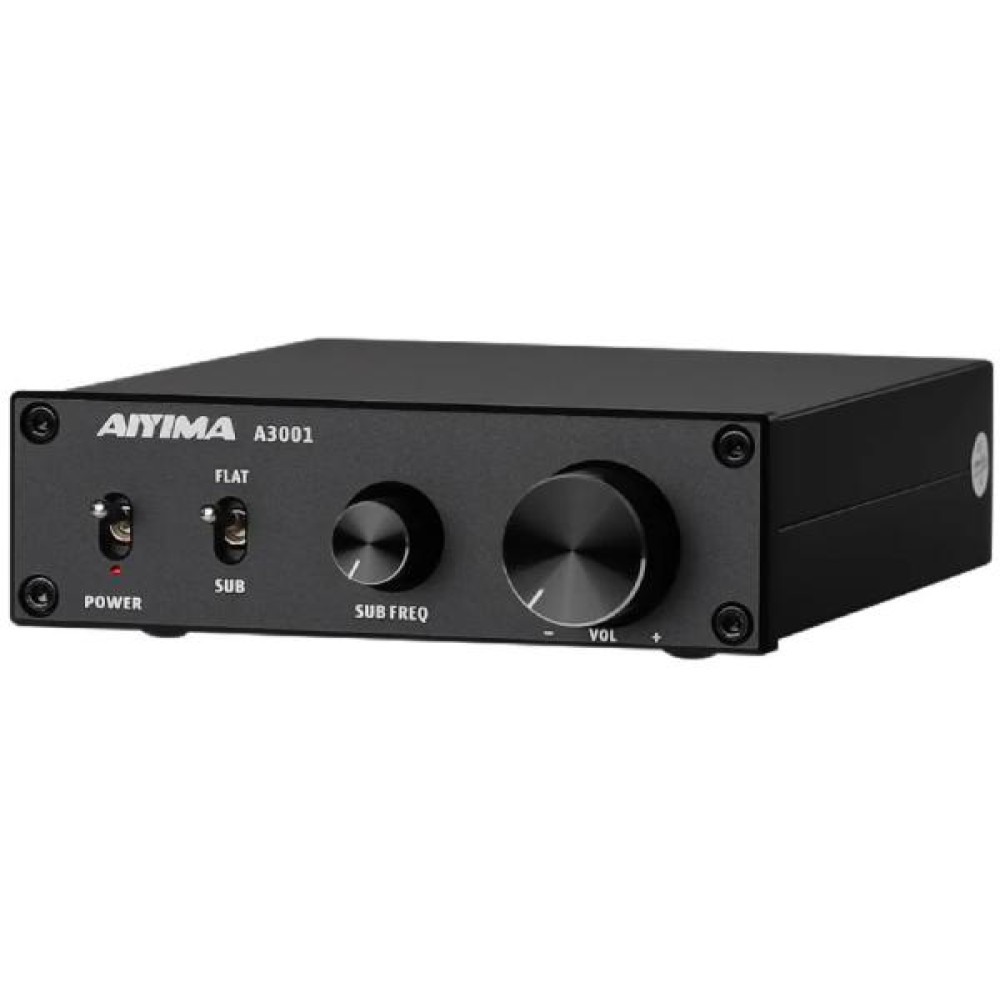
Panel description:
1.Power switch
2. Power indicator
3. Full/bass operation mode switch.
4. Bass up frequency adjustment knob (knob is only available in bass mode)
5. Volume knob (clockwise volume increases, counterclockwise volume decreases)
6. Audio input interface (such as CD, DAC decoder, mobile phone, TV, etc., red to the right channel input, white to the left channel input)
7. Low-pass output (connected to the active subwoofer, synchronized output with the amplifier)
8. Speaker interface (red to positive, black to negative)
9. Power interface (DC power supply must not exceed 35V)
Operation Steps:
1. Make sure the VOL knob is at its minimum.
2. Connect the speaker according to the back panel interface indication, pay attention to distinguish between positive and negative.
3. Connect the audio source you want to use.
4. Connect the power supply.
5. Select the desired working mode
6. Press the power button.
7. Turn the knob clockwise to select the desired volume level.
8. In the SUB mode, the bass cutoff frequency can be changed by adjusting the SUB FREQ knob.
PBTL/SUB Switch:
When "PBTL/SUB" is switched to "SUB", SPK OUT connects to the passive subwoofer.
When "PBTL/SUB" is switched to "PBTL", SPK OUT connects to the full range speaker.
The SUBOUT is connected to active subwoofer.