
DIGIDRAW

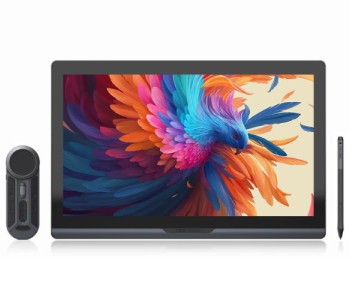
Digidraw in Bangladesh: Draw, Write and Create Your Way by Multimedia Kingdom
Have you ever had a great idea, but your tools were too slow to follow it? Digidraw is made for that moment. It helps you turn what is in your mind into something real, with just a pen and a screen. At Multimedia Kingdom, you can find the full Digidraw range in one place, with clear prices and honest help.
What Is Digidraw?
Digidraw is a creative technology brand. It builds smart pen devices for people who work with ideas. These devices help you draw, write, design, teach and edit in a more natural way. You hold a pen, you move your hand, and your work appears on screen. It feels simple because it is simple.
The brand has something for every level. A student can start small. A freelancer can grow step by step. A professional artist can go big. You do not need to be an expert to begin.
Why More People in Bangladesh Are Choosing Digidraw
Creative work is growing fast in our country. Many young people now earn from design, illustration, video editing and online teaching. They need tools that are fair in price and easy to use. Digidraw fits this need well.
- Easy to start: Plug in, install and begin. No hard setup.
- Fair price range: You can begin with a small budget and upgrade later.
- Works with Android: Every Digidraw device on this page supports Android, so you can use it beyond your computer.
- Choice of sizes: From small and light to big and bold, there is a size for every desk.
- Built for daily use: Drawing, signing, writing notes and marking documents all become faster.
Find Your Perfect Digidraw
The Digidraw family is called Turing. Here is a simple way to see which one suits you.
If You Are Just Starting
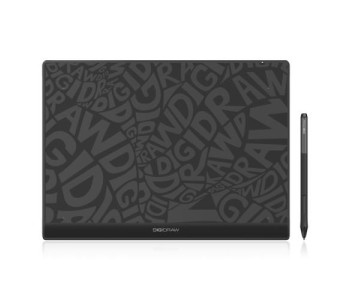
Pick a small and light device. The DIGIDRAW Turing Basic S T410 is a great first step. It has a 6x4 inch working area. It fits beside any laptop and costs less than most people expect. It is good for learning to draw, writing by hand, signing and light photo editing. Prices start under ৳7,000 at the time of writing, but please check the product page for the latest offer.
If You Love Working Without Wires
Cables on a desk can be annoying. The DIGIDRAW Turing Smart S TW410 connects with Bluetooth. Sit on your bed, in a classroom or at a cafe, and keep working. It also works with Android, which makes it very handy for people who move around a lot.
If You Want Speed in Your Work
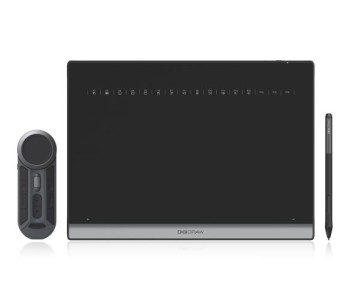
Great creators save time wherever they can. The DIGIDRAW Turing Keydial Wireless Remote K30 gives you shortcut keys in your hand. Undo, zoom, change brush size or switch tools with one touch. Your pen keeps moving while your other hand does the small tasks. After a few days, you will not want to work without it.
If You Want to Draw Right on the Screen
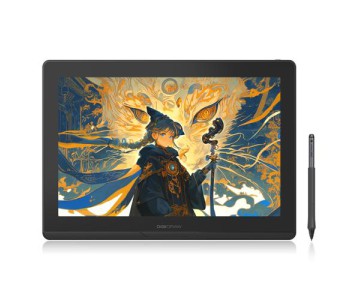
Some people want to see their art exactly where the pen touches. The DIGIDRAW Turing 14 2.5K Pen Display gives you a clear 14 inch screen with sharp 2.5K detail. It is easy to carry and nice to work on. A touch version is also available if you like to zoom and rotate with your fingers.
If You Work Like a Professional
Big projects need big space. The DIGIDRAW Turing Pro 19 Touch has an 18.4 inch touch screen. You can see every small detail and work for long hours in comfort. It is made for studios, serious artists and people who take their craft to the next level.
How Digidraw Fits Into Real Life
For students: Write notes by hand, solve math, mark PDFs and submit neat work. It saves paper and keeps everything in one place.
For teachers: Explain on screen as if you are using a board. Your online class becomes clearer and more fun for students.
For freelancers: Better tools mean better output. Fast and clean work helps you impress clients and win repeat orders.
For artists: Light strokes stay thin. Strong strokes become bold. Your art feels natural, not stiff.
For office users: Sign documents, add comments and review files without printing anything.
For video editors: Cut, mask and fine-tune with more control than a mouse can give.
Make Your Setup Complete
A good device works even better with the right extras. Pen nibs, holders and small add-ons keep your work going without a break. You can find them in the Digidraw accessories section. To see every model together, open the full Digidraw collection.
Still deciding? Take a look at our wider range of graphics tablet and compare. If you mostly want to write and take notes, our note-taking tools may suit you better. For more ideas, browse all our creative tablet devices in one place.
How to Order Your Digidraw
Buying is easy. Choose the model you like, check its label and place your order. If it says ready, you can find it on our ready stock page for quick delivery. If the model is not here yet, you can book it from our pre-order page. Stock changes often, so always check the product page before you pay.
Quick Answers Before You Buy
Which Digidraw is best for a beginner?
Start with the Turing Basic S T410. It is small, simple and light on your pocket.
Can I use Digidraw with my Android phone or tablet?
Yes. All Digidraw products listed on this page support Android.
Do I need the Keydial remote?
No, but it helps a lot. It gives you shortcuts, so your work gets faster and easier.
Should I choose a wireless model?
Choose wireless if you move around often or want a clean desk. Choose a wired model if you always work in one spot.
Is the price always the same?
Prices and offers can change. The price on the product page is always the latest one.
Which size should I buy?
Small is good for notes, signing and basic edits. Medium is best for most artists. Large is for people who work many hours every day.
Why Buy Digidraw from Multimedia Kingdom?
The product matters. The seller matters too. When you buy from us, you buy with confidence. Here is what you get:
- 26 years of experience in the tech field: We have seen technology change for over two decades. That experience helps us guide you to the right choice.
- Pioneer of graphics tablets and e-readers: We were among the first to bring both to Bangladesh. We know these products inside out.
- Friendly support: Ask us anything, before or after you buy. We reply politely, clearly and without pressure.
- The best place to pre-order, with a money-back guarantee: If your pre-ordered product is not available, you get your money back. You take no risk.
Your next big idea is waiting. Pick your Digidraw, and let Multimedia Kingdom help you start creating today.