
Huion
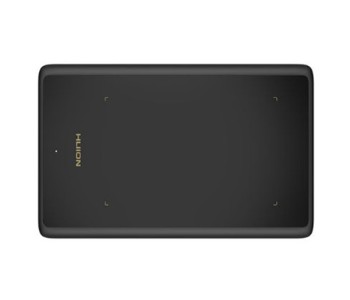
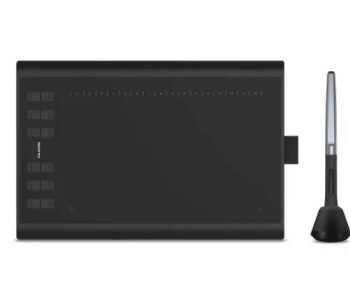
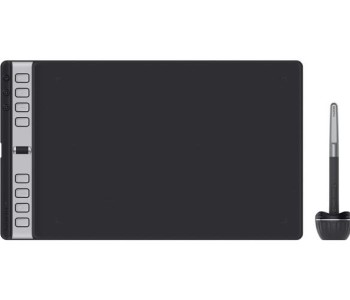
- Active Area: 11″ x 6.875″
- Pen Pressure: 8192
- Express Keys: 8
- Compatibility: Win, MAC
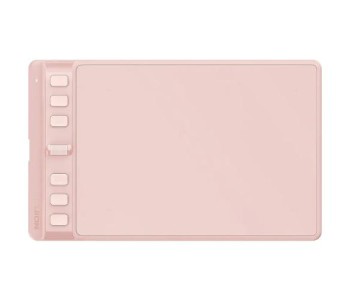
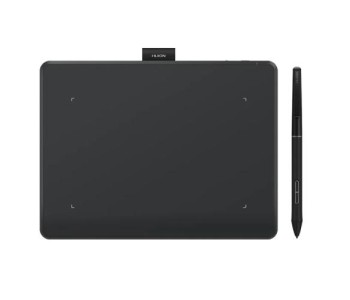
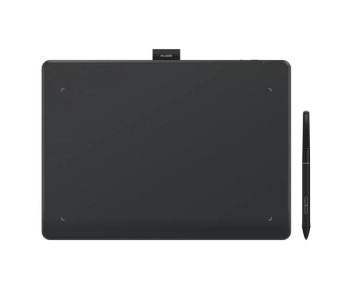
- Active Area : 4.8″ x 3″
- Pen Pressure: 4096
- Express Keys : 4
- Compatibility: Win, MAC, Android
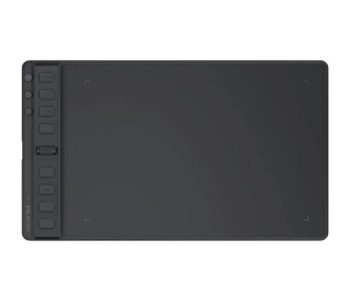
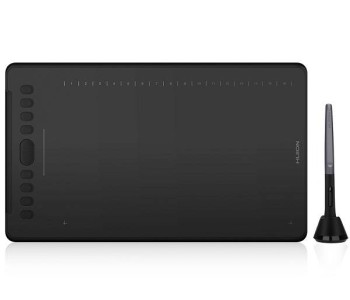
- Active Area : 4.17″ x 2.6″
- Pen Pressure : 8192
- Express Keys: None
- Compatibility: Win, MAC, Android
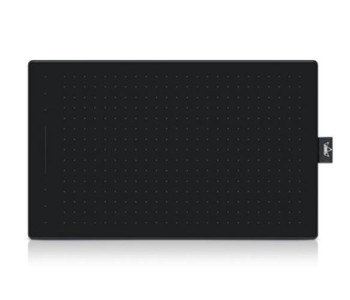
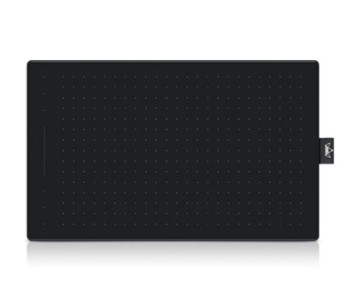
- Active Area : 4.7″ x 3″
- Pen Pressure : 8192
- Express Keys: 4
- Compatibility: Win, MAC, Android
- Active Area : 6.3″ x 3.9″
- Pen Pressure : 8192
- Express Keys: 6
- Compatibility: Win, MAC, Android
- Active Area: 6.3″ x 3.9″
- Pen Pressure: 8192
- Express Keys: 6
- Compatibility: Win, MAC, Android
- Active Area: 6.3″ x 3.9″
- Pen Pressure: 8192
- Express Keys: 6
- Compatibility: Win, MAC, Android
- Active Area: 8" x 5"
- Pen Pressure: 8192
- Express Keys: 8
- Compatibility: Win, MAC, Android
- Active Area: 8.7″ x 5.4″
- Pen Pressure: 8192
- Express Keys: 8
- Compatibility: Win, MAC, Android
- Active Area: 8.7" ×5.4"
- Pen Pressure: 8192
- Express Keys: 8
- Compatibility: Win, MAC, Android
- Active Area : 10″ x 6.25″
- Pen Pressure : 8192
- Express Keys : 8
- Compatibility: Win, MAC, Android
- Active Area : 8.7″ x 5.4″
- Pen Pressure : 8192
- Express Keys : 4
- Compatibility : Win, MAC, Android
- Active Area: 9″ x 5.62″
- Pen Pressure: 8192
- Express Keys: 11
- Compatibility: Win, MAC, Android
- Active Area: 10 ″ x 6.25 ″
- Pen Pressure: 8192
- Express Keys: 12
- Compatibility: Win, MAC, Android
- Active Area: 6.3″ × 3.9″
- Pen Pressure: 8192
- Express Keys: None
- Compatibility: Win, MAC, Android
- Active Area: 11″ x 6.875″
- Pen Pressure: 8192
- Express Keys: 10
- Compatibility: Win, MAC, Android
- Active Area: 10.5″ x 6.56″
- Pen Pressure: 8192
- Express Keys: 8
- Compatibility: Win, MAC
- Active Area: 11" x 6.875"
- Pen Pressure: 8192
- Express Keys: 6
- Compatibility: Win, MAC, Android
- Active Area: 10.5″ x 6.5″
- Pen Pressure: 8192
- Express Keys: 8
- Compatibility: Win, MAC, Android
- Active Area: 10″ × 6.25″
- Pen Pressure: 8192
- Express Keys: None
- Compatibility: Win, MAC, Android
Huion Graphics Tablet Price in BD (2026) — Everything You Need to Know Before You Buy
If you've searched "Huion graphics tablet price in BD," you're probably somewhere between two questions: which model actually fits my budget, and is it worth trusting an online price list at all. Fair questions — this category moves fast, prices shift with stock and currency rates, and half the listicles out there are copy-pasted from the same three sources.
So let's do this properly. Below is a real, working breakdown of Huion tablet prices in Bangladesh, what separates one model from another, and how to pick the right one without paying for features you'll never touch — whether you're a student doodling between classes or a concept artist billing clients.
Quick Answer: Huion Tablet Price Range in Bangladesh
Huion graphics tablets in Bangladesh are priced from ৳9,999 to ৳2,86,999 at Multimedia Kingdom, depending on the tablet type, screen size, and pen technology. Entry-level pen tablets (no screen) start the range, mid-range pen displays sit in the ৳25,000–৳70,000 zone, and flagship pen displays and pen computers — the ones with built-in Android or Windows systems — sit at the top.
This price list is updated regularly, so treat the figures below as a current, reliable snapshot rather than a one-time quote.
Huion Tablet Price List in Bangladesh (By Category)
| Tablet Type | What It Is | Approximate Price Range (BD) |
|---|---|---|
| Pen Tablets (non-display) | Draw on the tablet, see the result on your monitor | ৳9,999 – ৳25,000 |
| Pen Displays (Kamvas series) | Draw directly on a screen, connected to PC | ৳25,000 – ৳1,20,000 |
| Pen Computers (Kamvas Studio / Slate) | Standalone device — no PC needed | ৳1,50,000 – ৳2,86,999 |
| Smart Notepads / Light Pads | Note-taking and tracing devices | ৳9,999 – ৳15,000 |
Why Digital Artists in Bangladesh Keep Choosing Huion
Huion isn't the only graphics tablet brand around — Wacom and XP-Pen are right there too — but Huion has carved out a specific reputation: pro-level specs at a price a student or freelancer can actually justify. A few reasons that reputation holds up:
- Pressure sensitivity that matches premium brands. Most current Huion pens support up to 8,192 levels of pressure sensitivity, the same figure you'd find on tablets costing two or three times as much.
- A model for every stage of your journey. From the compact, beginner-friendly Inspiroy line to the professional Kamvas Pro and Kamvas Studio series, you're not locked into upgrading brands as your skills grow.
- Broad software compatibility. Huion tablets work natively with Photoshop, Clip Studio Paint, Illustrator, CorelDRAW, Procreate Dreams (via supported devices), and most OpenGL-based creative software on Windows, macOS, and select Android devices.
- Battery-free stylus technology. No charging the pen mid-session — it uses electromagnetic resonance (EMR), the same core tech Wacom pioneered.
- Tilt recognition up to ±60°, which matters more than people expect once you start shading or using natural media brushes.
Types of Huion Tablets, Explained Simply
This is where most price lists fall short — they show you numbers without explaining what you're actually paying for. Here's the breakdown:
1. Pen Tablets (Graphics Tablets without a Screen) This is the classic setup: a flat, pressure-sensitive surface where your hand draws while your eyes stay on the monitor. It takes a short adjustment period, but it's the most affordable way into digital art and the format most illustration courses still recommend for building fundamentals. The Inspiroy series (H430P, H580X, RTM-500, and similar) lives in this category.
2. Pen Displays (Kamvas Series) Here, you draw directly on the screen — what your hand does, your eyes see, in the same spot. It's the more intuitive experience and the industry standard for professional illustration and animation work. Huion's Kamvas Pro and Kamvas line offer laminated, anti-glare screens with 120%+ sRGB color accuracy, which matters if your work needs to look consistent across print and digital.
3. Pen Computers (Kamvas Studio / Kamvas Slate) These are standalone creative devices — think of them as a drawing tablet with a full operating system built in, so you're not tethered to a laptop or desktop. They sit at the top of the price range because you're paying for a complete computer, not just an input device.
4. Smart Notepads & Light Pads A smaller but growing category — useful for handwritten note-digitization, sketch tracing, and lightweight daily use, priced closer to the entry end of the range.
How to Choose the Right Huion Tablet (By Use Case)
- Students & absolute beginners: A compact pen tablet with a 6x4-inch or 8x5-inch active area and 8,192 pressure levels covers 90% of what you'll do — no need to overspend on a screen tablet before you know if digital art is for you.
- Hobbyists & content creators: A slightly larger pen tablet, or an entry pen display if budget allows, gives you room to work comfortably during longer sessions.
- Freelance illustrators & designers: A Kamvas Pro pen display strikes the balance most professionals actually want — screen precision without pen-computer pricing.
- Studio professionals & animators: A larger Kamvas Pro or a Kamvas Studio pen computer, where color accuracy, screen size, and portability all matter simultaneously.
Check Updated Huion Graphics Tablet Price List in Bangladesh
| Product | Active Area | Pen Pressure | Express Keys | Compatibility | Price |
|---|---|---|---|---|---|
| Huion Note X10 Smart Notebook | 7.35″ x 5.5″ | 8192 | Function Button | Win, MAC, Android | 9,999 ৳ |
| Huion Inspiroy Q11K V2 | 11″ x 6.875″ | 8192 | 8 | Win, MAC |
10,999 ৳ |
| Huion 420 | 4″ x 2.23″ | 2048 | None | Win, MAC |
2,149 ৳ |
| Huion H420 | 4″ x 2.23″ | 2048 | 3 | Win, MAC |
2,199 ৳ |
| Huion Inspiroy H430P | 4.8″ x 3″ | 4096 | 4 | Win, MAC, Android |
2,849 ৳ |
Key Specifications Worth Checking Before You Buy
Don't just compare price tags — compare these:
- Active area size — bigger isn't always better; it should roughly match your monitor's aspect ratio and your desk space.
- Pressure sensitivity levels — 8,192 is the current professional standard; anything above that offers diminishing returns for most artists.
- Express keys — physical shortcut buttons that speed up your workflow once muscle memory kicks in.
- Tilt recognition — important for anyone using brush-based, natural-media-style tools.
- Compatibility — confirm support for your OS (Windows, macOS, or Android) and your primary software before ordering.
- Report rate & resolution (LPI) — affects how smooth and lag-free your lines feel, especially for fast sketching.
Huion vs Wacom vs XP-Pen: A Quick, Honest Comparison
No single brand wins outright — it depends on what you're optimizing for:
- Huion generally offers the strongest specs-per-taka ratio, especially in the mid-range pen display segment.
- Wacom remains the industry benchmark for build quality and long-term driver support, at a noticeably higher price point.
- XP-Pen competes closely with Huion on price and specs, and the choice often comes down to screen calibration preference and available accessories.
If budget and value are driving your decision, Huion is very hard to beat in the Bangladesh market right now.
Frequently Asked Questions
What is the price of a Huion graphics tablet in Bangladesh?
Huion graphics tablets in Bangladesh range from ৳9,999 to ৳2,86,999 at Multimedia Kingdom, depending on whether you choose a basic pen tablet, a mid-range pen display, or a flagship pen computer.
Which Huion tablet is best for beginners in BD?
Entry-level Inspiroy series tablets are the most recommended starting point — they're affordable, compact, and offer the same 8,192-level pressure sensitivity found on pricier models, so you're not compromising on the core drawing experience.
Is Huion better than Wacom for the price?
For most hobbyists and working professionals, yes — Huion delivers comparable pressure sensitivity, tilt support, and screen quality at a noticeably lower price than equivalent Wacom models. Wacom still holds an edge in long-term build reputation and legacy software support.
Do Huion tablets work without internet or a PC?
Pen tablets and pen displays need to stay connected to a computer to function. Pen computers, like the Kamvas Studio series, run independently with their own operating system and don't require a connected PC.
Is a screen (pen display) necessary for beginners?
No. Most professional illustrators started on screenless pen tablets. A screen adds convenience and intuitiveness, not artistic capability — it's worth upgrading to once you're confident in the fundamentals.
Where can I buy a genuine Huion tablet with warranty in Bangladesh?
Multimedia Kingdom is an authorized Huion distributor in Bangladesh, offering official warranty coverage, genuine stock, and after-sales support — a safer route than unofficial resellers with no warranty backing.
Buying From an Authorized Source Actually Matters
A quick, practical note before you check out: graphics tablets are one of those products where grey-market units and warranty-less "deals" are common online. An authentic Huion tablet purchased through an authorized distributor gives you official warranty coverage, verified firmware and driver support, and a real support channel if something goes wrong with the pen or the digitizer — none of which you get from an unofficial import.
Multimedia Kingdom has been operating in Bangladesh's tech retail space for over two decades, and carries genuine Huion stock alongside Wacom, XP-Pen, Veikk, and other major graphics tablet brands — so if you're comparing across brands, you can do it in one place instead of chasing five different sellers.
If you're ready to pick a model, scroll back up to the price list, filter by your budget or active area preference, and compare specs side by side before adding to cart. Check out our another collection such as graphics tablet, tablet, e-ink devices, speaker and many more items.