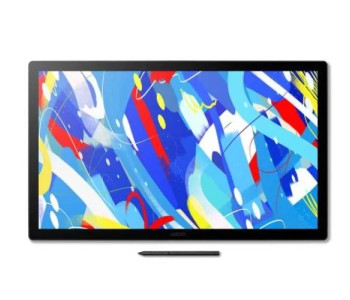
Wacom Graphics Tablet Price in Bangladesh (2026) – Original Wacom Tablet at Multimedia Kingdom
Ask five different shops in Dhaka for a Wacom tablet's price and you'll probably get five different answers — half of them outdated, some of them for units with no real warranty behind them. So here's the page we should have updated a long time ago. Below is the current, correct Wacom Graphics Tablet price in BD for 2026, covering every series sold here — from the entry-level Wacom One to the studio-grade MobileStudio Pro.
Whether you're a student picking up your first digital pen tablet, a freelance illustrator upgrading to a pen display, or a studio buying Cintiq Pro units for a full animation team — everything you need to decide is on this one page.
Current Wacom Graphics Tablet Price Range in Bangladesh: ৳5,199 – ৳4,39,999
And yes, every unit listed here is a genuine Wacom product with official warranty, sold and supported by Multimedia Kingdom
Why Artists in Bangladesh Still Choose Wacom Over Everything Else
There's no shortage of drawing tablet brands now — Huion, XP-Pen, Veikk, Ugee all have their fanbase. So why does Wacom still dominate professional studios, art schools, and freelance desks across Dhaka, Chattogram, and beyond?
Because a mouse was never built to draw. Your hand moves in curves, pressure, and rhythm — a mouse only understands clicks and drags. Wacom's pen technology reads the way you draw: how hard you press, how you tilt the pen, how fast a stroke moves. That's the difference between a flat, mechanical line and one that actually looks hand-drawn.
A few reasons Wacom keeps its position at the top:
- Pen-on-paper feel — the nib has just enough friction and give that it doesn't feel like dragging plastic on glass.
- True pressure sensitivity (4096 to 8192 levels depending on the model) — thin hairlines to bold, confident strokes, all from one tip.
- Tilt recognition up to ±60°, so a brush behaves like it's being held at an angle, not straight up.
- Battery-free pen (EMR technology) on most models — no charging, no dead pen mid-session.
- Express Keys and Touch Ring on the Pro series, so you're not reaching for the keyboard every ten seconds.
- Cross-software compatibility with Photoshop, Clip Studio Paint, Illustrator, Procreate Dreams, Blender, and basically every creative tool used in Bangladesh's design and animation scene.
- Long product life — a lot of working artists here are still on Intuos units from 6-7 years ago.
If you're doing anything beyond casual doodling — freelance illustration, architectural sketching, product design, 2D animation, online tutoring with a whiteboard — this is the difference you'll actually feel within the first week of using it.
Wacom Series in Bangladesh — Which One Is Actually Right for You?
Wacom's lineup isn't one product, it's a whole ladder — and picking the wrong rung either wastes money or leaves you frustrated with a device that can't keep up. Here's how the series break down by who they're actually built for.
One by Wacom — First Tablet, Online Teaching, Note-Taking
If you've never used a pen tablet before, start here. It's the same pressure-sensitive pen tech as the higher models, just without the extra buttons and touch features. Teachers running online classes, students taking digital notes, and anyone testing the waters of digital art before committing more money — this is the sensible entry point.
Wacom Intuos — The Everyday Workhorse
This is where most semi-serious hobbyists and part-time freelancers land. Intuos adds customizable shortcut keys, better build quality, and Bluetooth connectivity on some variants. It's compact enough to carry to a client meeting or a co-working space, and it handles Photoshop, Illustrator, and most digital painting software without breaking a sweat.
Wacom Intuos Pro — Built for Daily Professional Work
Tilt recognition, 8192 pressure levels, a textured surface that mimics paper drag, and a Touch Ring for zoom/rotate — Intuos Pro is what a lot of working illustrators, concept artists, and photo retouchers in Bangladesh actually use day to day. It's the sweet spot between "affordable" and "professional-grade."
Wacom Cintiq — Draw Directly on the Screen
Some artists just never get comfortable looking at a monitor while their hand moves on a separate tablet. Cintiq solves that — it's a full pen display, so your pen and your eyes are in the same place. Color accuracy is strong enough for client-facing illustration work, and it's a favorite in animation studios and design agencies around Dhaka.
Wacom Cintiq Pro — 4K, Studio-Grade Color Work
This is the display artists reach for when color precision actually matters — packaging design, print-ready illustration, high-end animation. 4K resolution, wide color coverage, and a screen that stays accurate under studio lighting. It's a serious investment, but for studios billing clients on color-critical work, it pays for itself fast.
Wacom Movink — Portable OLED Pen Display
Movink is Wacom's answer to "I need Cintiq-level drawing but I also travel." It's thin, light, OLED-bright, and built for freelancers who work from cafés, client sites, or simply don't want a heavy display chained to one desk.
Wacom MobileStudio & MobileStudio Pro — A Full Computer Built Into the Tablet
These aren't just displays — they're standalone Windows machines with Wacom's pen tech built in. Architects, 3D modelers, and animators running heavy software (Blender, ZBrush, full Adobe suites) without needing a separate PC nearby — this is the category built for them. It's the top of the ladder, priced accordingly.
Wacom Graphics Tablet Price List in Bangladesh - New Products List (2026)
| Model |
Price (BDT) |
Active Area / Display |
Pressure Levels |
Best For |
| Wacom One Small |
৳10,499 |
6.0 x 3.7 in |
4096 |
First-time users, students |
| Wacom One Medium |
৳15,999 |
8.5 x 5.3 in |
4096 |
Online teaching, note-taking |
| Wacom Intuos Medium |
৳13,999 – ৳21,999 |
6.0 – 8.4 in |
4096 |
Hobbyists, part-time freelancers |
| Wacom Intuos Pro Medium |
৳40,999 |
8.7 x 5.8 in |
8192 |
Illustrators, graphic designers |
| Wacom Intuos Pro Large |
৳60,999 |
12.1 x 8.4 in |
8192 |
Studio & production work |
| Wacom Cintiq 16 |
৳97,999 |
15.6 in Display |
8192 |
Screen-drawing illustrators |
| Wacom Movink 13 |
৳99,999 |
13.3 in OLED |
8192 |
Freelancers who travel |
| Wacom Cintiq Pro 24 |
৳2,94,999 |
23.6 in 4K Display |
8192 |
Animation, print, 3D texturing |
Prices vary slightly with configuration, stock availability, and ongoing offers. For the exact live price on any model, check the Wacom Graphics Tablet collection directly, since Multimedia Kingdom updates stock and pricing regularly.
Key Specifications to Actually Check Before Buying
A lot of buyers pick a Wacom tablet based on price alone, then realize later it doesn't fit their workflow. Here's what actually matters:
- Active Area — the physical drawing surface size. Small is fine for retouching and note-taking; larger areas suit illustration and animation where broader arm movement helps.
- Pressure Sensitivity (levels) — 4096 is enough for most users; 8192 matters more for artists doing fine linework and detailed shading.
- Resolution (LPI) — higher LPI means finer, more precise strokes, especially noticeable when zoomed into detailed work.
- Tilt Recognition — matters if you use brush tools that respond to pen angle (shading, calligraphy-style brushes).
- Connectivity — USB-C, Bluetooth, or HDMI depending on whether it's a tablet or a pen display.
- Express Keys / Touch Ring — a genuine time-saver once you're used to them; hard to go back once you have them.
- OS Compatibility — Windows, macOS, and select Android devices; worth confirming against your current software setup.
Frequently Asked Questions
What is the cheapest Wacom graphics tablet price in Bangladesh?
The Wacom One Small currently starts at around ৳10,499, making it the most affordable genuine Wacom option for beginners and students.
Which Wacom tablet is best for professional digital artists in Bangladesh?
Most working illustrators and designers settle on the Intuos Pro series for daily work, while those who need to draw directly on-screen prefer the Cintiq or Cintiq Pro line.
Do Wacom tablets work without internet or a separate computer?
Standard Wacom tablets and Cintiq displays need to be connected to a computer or laptop. Only the MobileStudio and MobileStudio Pro series function as standalone devices, since they have a full computer built in.
Is it safe to buy Wacom tablets online in Bangladesh?
Yes, as long as you're buying from an authorized seller. Multimedia Kingdom sells genuine Wacom products with official warranty and after-sales support, which protects you from the grey-market units common on marketplace listings.
Can Wacom tablets be used for online classes and note-taking, not just art?
Absolutely. The One by Wacom series in particular is widely used in Bangladesh by teachers and students for digital whiteboarding, annotation, and note-taking, not just illustration.
Shop Now Your Wacom Graphics Tablet from Multimedia Kingdom with Low Price
Every model listed here is available with full manufacturer warranty through Multimedia Kingdom, Bangladesh's trusted destination for original drawing tablets and pen displays. Alongside Wacom, we also stock Huion, XP-Pen, Veikk, and Ugee, plus Signature Pads, Light Pads, E-Ink devices, and drawing accessories — so you can compare before you commit.
Browse the full range here: Latest Wacom Graphics Tablet Collection
Genuine products. Real warranty. Expert support before and after purchase — that's the whole point of buying local instead of gambling on an unverified import.

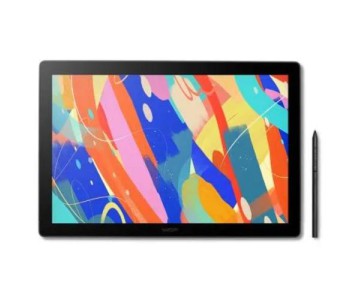
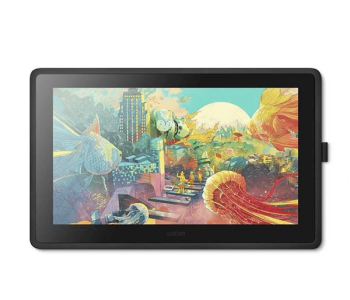
-350x300h.jpg "Wacom Cintiq 24 DTK-246 (2025)")