
-1000x1000w.jpg "KOORUI E2712K 27 Inch FHD Business Monitor")
-1000x1000w.jpg "KOORUI E2712K 27 Inch FHD Business Monitor")
-1000x1000w.jpg "KOORUI E2712K 27 Inch FHD Business Monitor")

-80x80w.jpg "KOORUI E2712K 27 Inch FHD Business Monitor")
-80x80w.jpg "KOORUI E2712K 27 Inch FHD Business Monitor")
-80x80w.jpg "KOORUI E2712K 27 Inch FHD Business Monitor")

Features
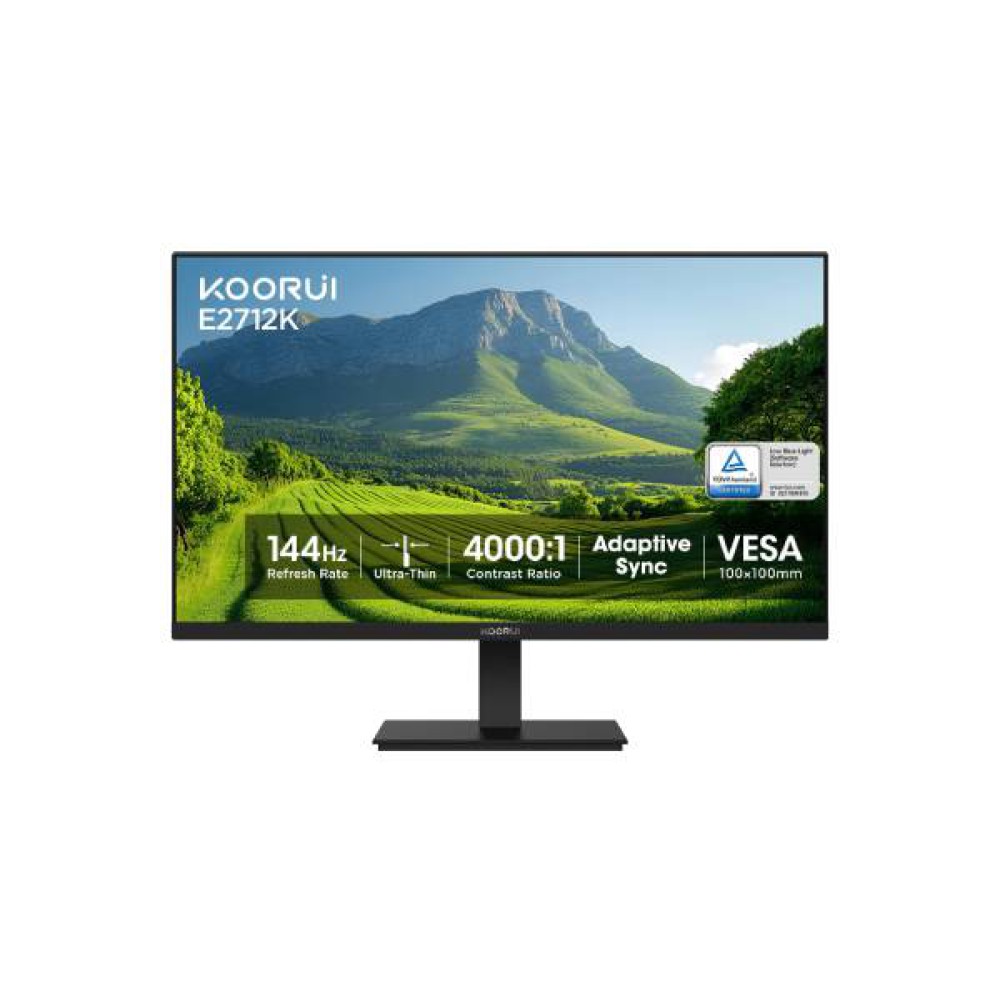
KOORUI E2712K 27 Inch FHD Business Monitor — A Perfect Monitor for Office & Everyday Computing
If you spend long hours in front of a screen — spreadsheets in the morning, video calls in the afternoon, and a few relaxed hours of streaming or casual gaming at night — the KOORUI E2712K is built for exactly that rhythm. It exists for buyers who want a 27-inch, Full HD business monitor that goes beyond a basic office display by adding a 144Hz refresh rate, HDR10 support, and a wide-viewing-angle VA panel, without stepping into dedicated gaming-monitor pricing or complexity.
The short answer: this monitor suits professionals, students, and home-office users who want a large, comfortable, all-purpose screen that also happens to handle fast motion smoothly. It is not a specialist tool for competitive esports or color-critical design work — but for the vast majority of everyday computing, it hits a practical sweet spot.
.jpg)
.jpg)
What Problem Does It Solve?
Most buyers upgrading from a small 18–21 inch monitor face the same frustrations: cramped workspace, eye strain from staring at tiny text all day, and choppy visuals when scrolling long documents or watching video. A standard 60Hz office monitor solves the size problem but not the smoothness problem, while gaming monitors solve smoothness but often skip business-friendly ergonomics and pricing.
The KOORUI E2712K addresses both at once. Its 27-inch, 1920×1080 panel gives you meaningfully more screen real estate for multitasking — side-by-side documents, larger spreadsheets, more visible browser tabs — while the 144Hz refresh rate makes scrolling, cursor movement, and video playback noticeably smoother than a typical 60Hz monitor. A wide 178°/178° viewing angle also means the picture stays consistent even when you lean back or a colleague looks over your shoulder, which matters in shared office or meeting-room setups.
.jpg)
.jpg)
What You Actually Get
Out of the box, you're getting a clean, business-appropriate 27-inch display with a tilt-adjustable stand and a slim-bezel design that doesn't dominate a desk. The VA panel technology is chosen specifically for stronger contrast and deeper blacks than typical budget office monitors, which makes text and dark UI elements easier to read for extended periods.
Day to day, the experience feels more responsive than a standard office monitor: window dragging, video scrubbing, and mouse movement all appear smoother thanks to the 144Hz refresh rate and 5ms response time. HDR10 support adds extra depth to compatible video content, and the 99% sRGB color coverage means colors in photos, presentations, and videos look accurate rather than washed out — a detail that matters when you're sharing your screen on a call or presenting to clients.
.jpg)
.jpg)
Features That Matter Most
27-Inch FHD Resolution (1920×1080)→ Gives a large, clear canvas for documents and browsing → Why it matters: less scrolling, easier multitasking, reduced eye strain → Benefits: office workers, students, and anyone replacing a small laptop screen.
144Hz Refresh Rate→ Refreshes the image up to 144 times per second instead of the standard 60 → Why it matters: motion looks fluid rather than blurry or stuttery → Benefits: users who scroll long documents, watch video, or occasionally game casually.
VA Panel with High Contrast→ Uses vertical-alignment liquid crystal technology for deeper blacks → Why it matters: better readability in dim rooms and richer visuals for media → Benefits: night-shift workers, home-office users, and video watchers.
HDR10 Support→ Expands the range between the brightest and darkest parts of an image → Why it matters: HDR-encoded video and content appear with more depth and detail → Benefits: anyone regularly watching streaming content or presentations with rich visuals.
99% sRGB Color Gamut→ Covers nearly the full standard color spectrum used in web and office content → Why it matters: colors on your screen match what others will see on theirs → Benefits: professionals sharing decks, images, or documents where color consistency matters.
Wide 178° Viewing Angle→ Maintains color and contrast accuracy from almost any position → Why it matters: no washed-out image when viewed off-center → Benefits: shared workstations, presentation setups, and multi-person desks.
VESA 100×100mm Mount Compatibility→ Allows the monitor to be attached to a wall mount or monitor arm → Why it matters: frees up desk space and allows ergonomic height/angle adjustment → Benefits: buyers building an organized, ergonomic workstation.
.jpg)
Who Should Buy It?
This monitor fits office professionals upgrading from a small or aging display, remote and hybrid workers setting up a dedicated home workstation, students who need a larger secondary screen, and casual users who want one monitor to comfortably handle both productivity and entertainment. It also suits buyers furnishing multiple workstations for a small office or agency, thanks to its straightforward setup and VESA mounting support.
Read Before You buy this Product
Before buying any monitor in this category, check the panel type (VA vs IPS) based on whether contrast or color accuracy matters more for your work. Confirm the port types match your PC or laptop (HDMI, VGA, or newer options like DisplayPort/USB-C). Check the refresh rate and response time if smooth motion is a priority. Look at the stand's adjustability — tilt-only versus height and swivel adjustable — based on your desk ergonomics. Finally, confirm VESA mount compatibility if you plan to use a monitor arm, and always verify current stock and warranty terms directly with the retailer before ordering.
Why Multimedia Kingdom is the First Choice for This Product
Multimedia Kingdom is a Pioneer Shop of Graphics Tablets and E-Readers with 26 years of experience in Bangladesh's IT product field, giving customers a level of category expertise that goes well beyond a typical electronics retailer. That long-standing experience extends naturally into computer peripherals and monitors, including the full KOORUI monitor lineup. Customers benefit from a dedicated showroom and head office in Dhaka, multiple EMI payment options through major Bangladeshi banks, direct access to a sales and support team for pre-purchase questions, and a retailer that has built trust across thousands of IT product transactions over more than two decades.
Frequently Asked Questions
Is the KOORUI E2712K good for office and business use?
Yes. It is marketed as a business monitor with a 27-inch FHD display, wide viewing angles, and a professional flat-panel design suited to office and home-office environments.
Does this monitor support both HDMI and VGA connections?
Yes, the E2712K is designed with standard HDMI and VGA connectivity, allowing it to connect to most desktops, laptops, and older PCs.
Is a 144Hz refresh rate useful for non-gaming work?
Yes. Beyond gaming, a higher refresh rate makes everyday tasks like scrolling, window dragging, and video playback appear noticeably smoother than a standard 60Hz monitor.
Can I mount this monitor on an arm or wall bracket?
Yes, it supports the standard VESA 100×100mm mounting pattern, compatible with most third-party monitor arms and wall mounts.
Is the VA panel good for color accuracy?
The VA panel offers strong contrast and deep blacks with 99% sRGB coverage, which is solid for general use, though dedicated color-critical work may still favor an IPS panel.
Related Product : KOORUI G2511E Monitor
Explore More: KOORUI Monitor Collection | All Monitors at Multimedia Kingdom | PC Accessories