
Czur

-350x300h.jpg "CZUR Lens 1200 Pro")



CZUR Collection in Bangladesh: Find Smart Scanning for Home, Office and Campus from Multimedia Kingdom
Do you have piles of books, files, notes and old papers? Do you want them on your phone or laptop, clean and easy to search? Then CZUR is a name you should know. CZUR makes smart scanning tools that turn paper into digital files in a few seconds. On this page, Multimedia Kingdom shows you what CZUR offers, who needs it, and how to pick the right model in Bangladesh.
Whether you are a student, a teacher, a lawyer, a shop owner or a book lover, there is a CZUR product for your daily work. Read on, and you will find the right one without any confusion.
What Is CZUR and What Does It Do?
CZUR is a brand known for book scanners, document scanners and visual presenters. In simple words, you place a book or paper under the device, press a button, and the scanner captures the page. Then you can save it as a PDF, an image or searchable text.
The old way was slow. You had to copy pages one by one, or press a book flat on a big machine. CZUR tools save time and are easier on the pages. That is why students, teachers, lawyers, office teams and book lovers use them.
Why Is Digital Scanning So Useful in Bangladesh?
Paper is everywhere in our daily life. We keep land papers, certificates, bills, class notes, contracts and rare books. Paper can get wet, torn, eaten by insects or lost. In our weather, humidity and monsoon rain can damage paper very fast. A digital copy keeps your data safe and easy to share.
- Save space: Move shelves of paper to one hard drive.
- Find fast: Search a word inside your file instead of turning pages.
- Share easily: Send a file by email or WhatsApp in a minute.
- Protect old items: Keep a safe copy of old books and important papers.
- Work from anywhere: Open your files on a phone, laptop or cloud drive.
How Does CZUR Scanning Work?
Using a CZUR scanner is simple. You do not need to be a computer expert. Here is the basic idea:
- Connect: Plug the scanner into your computer using USB.
- Place: Put your book, paper or file on the scanning area.
- Scan: Press the scan button or use the software on your screen.
- Save: Save the file as a PDF or image, or turn it into searchable text.
That is all. Many users finish a full chapter in minutes, not hours. For exact steps and software features, please check the page of the model you like.
CZUR Product Types You Can Choose From
One scanner does not fit everyone. A student needs something simple. An office needs speed. A library needs to handle thick books. That is why CZUR has different types of products. Here are some popular choices for you.
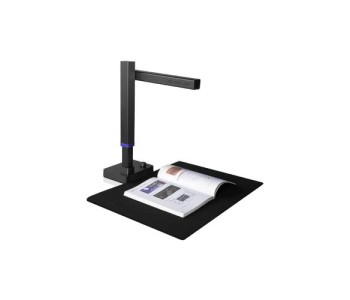
For beginners and home users: If you are starting small, try the CZUR Lens 1200 Pro. It is the most budget-friendly pick on this page. It suits students, teachers and home users who scan notes, forms and small files.
For regular weekly scanning: The CZUR Fancy S Pro is a good step up. It works well if you scan often and want a smoother daily routine.
For small offices and classrooms: The CZUR Aura Pro is made for people who want smart scanning with better everyday comfort. It fits a teacher's desk, a small business or a study room.
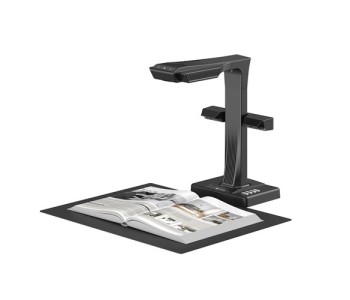
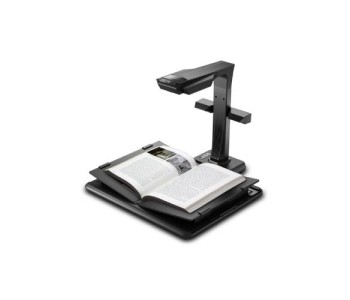
For books and thick files: The CZUR ET16 Plus belongs to the ET series, which is built for book scanning. You do not need to cut or press the book hard. This helps writers, researchers and book collectors who want to protect their books.
For large papers: The Czur Shine Ultra 1400A3 Pro Scanner is made for A3 size work. It is useful for big documents, drawings, posters and wide pages that normal scanners cannot hold.
Which CZUR Fits Your Need?
Still not sure? Think about what you scan the most, then match it with the guide below.
- Mostly notes and small papers: Start with an entry-level model and keep your budget low.
- Mostly books: Choose a model from the ET series, made for book scanning.
- Mostly office files every day: Pick a model with higher speed and better resolution.
- Big drawings and wide sheets: Go for an A3-size scanner.
- A mix of everything: Choose a mid-range model that gives you balance.
What to Check Before You Buy this types of Product
Do not choose only by price. Look at these simple points first.
- Resolution: CZUR models on this page offer resolutions from 4032 x 3024 up to 5824 x 4368 pixels. A higher number means sharper text and images.
- Speed: Speed matters if you scan hundreds of pages. The page lists speeds of up to 5 seconds, so check each model.
- Paper size: Do you scan A4 pages, thick books or A3 sheets? Pick the size you need.
- Connection: CZUR scanners here connect by USB, so setup with your computer is simple.
Who Should Use CZUR Scanners?
- Students and teachers: Save notes, question papers and chapters.
- Lawyers and accountants: Keep case files and records safe and searchable.
- Libraries and institutes: Build a digital archive of books and old records.
- Offices and shops: Store invoices, contracts and forms without big filing cabinets.
- Writers and researchers: Capture book pages quickly for study work.
- Families: Keep old letters, photos and certificates safe for the next generation.
Tips for Better Scans
A good scanner gives great results, and a few small habits make them even better.
- Keep the scanning area clean and free from dust.
- Use steady, even light so the page has no dark shadows.
- Place the paper straight, not tilted.
- Name your files clearly, for example "Class-10-Physics-Chapter-3".
- Make a backup on a hard drive or cloud storage after every big scanning job.
Ensure a Complete Document Setup from Here
A scanner works best as part of a full setup. Explore our scanner collection to see every type in one place. If your work is mostly books, visit the book scanner category. If you handle many loose pages, check document scanners. For live class demos and online meetings, a document camera can help. When you need paper copies back, add one of our printers. Want to compare choices from another maker? See the Joyusing brand page too.
Pre-Order or Ready Stock: How to Buy
Many CZUR models reach Bangladesh by pre-order, and new models are coming soon. Open our pre-order page to book the model you want. If you need a product right now, check the ready stock page for items that are ready to take. Both ways are easy, and our team is happy to guide you.
Answers About CZUR Scanners
What is a CZUR scanner?
A CZUR scanner is a smart device that turns books, papers and documents into digital files such as PDF or image files. It is made for fast and easy scanning.
Which CZUR scanner is best for books?
The ET series is made for book scanning. The CZUR ET16 Plus is a good place to start if you scan books often.
Which CZUR scanner is best for a small budget?
The CZUR Lens 1200 Pro is the lowest-priced model on this page. It is a good first choice for students and home users.
Can I scan large A3 papers?
Yes. The Czur Shine Ultra 1400A3 Pro is made for A3 size scanning, so it can handle big papers and drawings.
Is a CZUR scanner hard to use?
No. You connect it by USB, place your paper, and press scan. Even a first-time user can start in a few minutes.
How fast can a CZUR scanner work?
The speed filter on this page shows up to 5 seconds. Speed is different for each model, so check the product page before you choose.
What if my pre-ordered CZUR product is not available?
You get a money-back guarantee. If we cannot bring the product, you will receive your money back.
Buy Now CZUR Products From Multimedia Kingdom?
When you buy a smart device, you need a seller you can trust. Here is why people choose Multimedia Kingdom.
- 26 years of experience in the tech field: We have served Bangladeshi tech lovers for over two decades. We know what works here.
- Pioneer of graphics tablet and eReader: We were among the first to bring graphics tablets and eReaders to Bangladesh. People trust us for new technology.
- Friendly support: Our team helps you choose the right model. You can ask simple questions before and after you buy.
- Best place to pre-order: Book your CZUR scanner with confidence. If the product is not available, you get your money back. This is our promise.
Choose your CZUR scanner today and start turning paper into smart digital files.